Info Card Component
Cards for displaying image content with title, description, and actions. Available in vertical and horizontal layouts with three sizes and four aspect ratios.
Empty State — Stacked
Here is the title text.
Description text goes here
Caption text here
Here is the title text.
Description text goes here
Caption text here
Empty State — Row
Here is the title text
Description text goes here
Caption text here
Here is the title text
Description text goes here
Caption text here
Vertical — Default

Product Design Sprint
A five-day process for answering critical business questions through design and prototyping.

Team Collaboration Guide
Best practices for remote and hybrid team workflows across time zones.

Data-Driven Decisions
How to build a metrics culture that actually moves the needle on outcomes.
Vertical — With Badge

UX Research Methods
A comprehensive guide to user research methods, from surveys to contextual inquiry.

Frontend Architecture
Patterns for scaling component libraries across multiple product teams.

Stakeholder Management
Frameworks for managing expectations and communicating progress effectively.
Vertical — With Actions
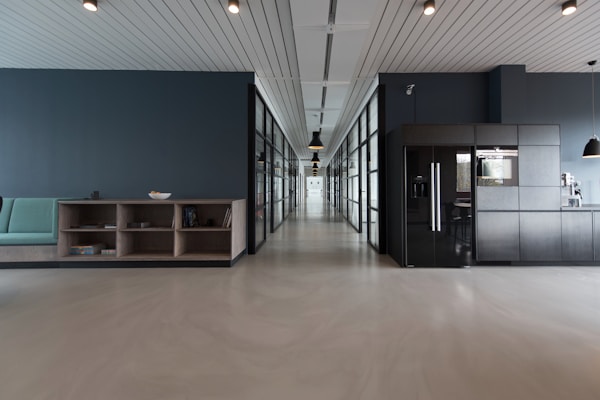
Workspace Setup Guide
Ergonomic recommendations for productive home and office setups.

Meeting Best Practices
How to run meetings that people actually want to attend.

Team Retrospectives
Templates and techniques for running effective sprint retrospectives.
Vertical — With Header Actions

API Design Principles
RESTful conventions, versioning strategies, and error handling patterns.

Onboarding Playbook
30-60-90 day plans that actually work for new engineering hires.

Product Roadmap Planning
Align your team around outcomes, not features, using opportunity solution trees.
Subscription Active
Horizontal

Design System Workshop
Learn to build and maintain a design system from scratch in this hands-on workshop.

Innovation Sprint
A structured approach to generating and validating new product ideas in one week.
Horizontal — With Badge + Actions

Component Library Audit
Step-by-step process for auditing your existing UI components and identifying gaps.

Wireframing Techniques
From low-fidelity sketches to interactive prototypes in record time.
Delivery Tracking
Sizes
Small

Quick Tip: Focus Blocks
Protect two-hour blocks for deep work.
Medium (default)
Quick Tip: Focus Blocks
Protect two-hour blocks for deep work.
Large
Quick Tip: Focus Blocks
Protect two-hour blocks for deep work.
Aspect Ratios
Auto

Auto Ratio
Uses the natural image dimensions.
Square (1:1)

Square
Perfect for profile cards and thumbnails.
Video (16:9)

Video
Standard widescreen for media content.
Portrait (3:4)

Portrait
Taller cards for gallery or people views.
Clickable (Link)

Annual Design Conference
Join 500+ designers for talks, workshops, and networking. Clickable card using Href.

Product Thinking Podcast
Weekly conversations with product leaders from top tech companies.

Accessibility Fundamentals
A practical course on building inclusive digital products from the ground up.
Usage examples
Copy-paste-ready snippets for the most common InfoCard patterns. Scroll up to browse the full variant catalog.
Vertical — default
Image on top, title + description below
Product Design Sprint
A five-day process for answering critical business questions through design and prototyping.
Vertical — with badge
Category label via BadgeContent slot
UX Research Methods
A comprehensive guide to user research methods.
Data card (no image)
Field list via Fields parameter
Customer
Empty state — text avatar
Circular avatar placeholder via PlaceholderText
Here is the title text.
Description text goes here
Caption text here
Empty state — row, text avatar
Row layout via EmptyLayout="row" with PlaceholderText
Here is the title text
Description text goes here
Caption text here
Empty state — row, illustration
Row layout with LeadingIcon illustration
Here is the title text
Description text goes here
Caption text here
Empty state — illustration
Decorative illustration via LeadingIcon slot
Here is the title text.
Description text goes here
Caption text here